

Learn how to get a Turnitin report before submitting. A step-by-step guide for students covering similarity scores and AI detection.
SUMMARY: Students cannot access Turnitin independently; access is controlled by schools and configured by instructors. Options for previewing a similarity report before a final submission include requesting a draft assignment from a professor or using Turnitin Draft Coach if the institution has enabled it.

Check your essay before you submit. See exactly what your professor sees.
Get the exact same Turnitin report your professor uses. Join 50,000+ students who submitted their essays with confidence this semester.
Similarity scores should be interpreted in context, as cited quotes and reference lists contribute to the percentage without indicating plagiarism. Since 2023, Turnitin also includes AI writing detection visible to instructors. Most reports generate within 15 to 20 minutes, though processing may slow during peak academic periods.
How to Get a Turnitin Report for Students Before Submitting: A Straightforward Guide
You finished your paper. Now you want to know if it passes the originality check before your professor sees it. Most students search for a Turnitin check option that lets them preview their similarity score ahead of time. The reality is more complicated than clicking a button. Turnitin does not work like a public tool you can open whenever you want. Your school controls access, and what you see depends on how your instructor configured the assignment. In this guide, I will walk you through what actually works when you want to run a Turnitin scan before the deadline, how to read your scores, and what to expect from Turnitin AI detection.
Can You Get a Turnitin Report Before Submitting?
The short answer: sometimes. Turnitin is built for institutions, not individuals. You cannot create a personal account and upload your paper for a quick check. Access flows through your school. If your instructor enabled certain settings, you can preview similarity results before your final submission.
Ask Your Instructor for a Draft Submission
The simplest method is the one many students overlook. Ask your professor to set up a practice or draft assignment inside your course’s learning management system. Frame it as a proactive step. Tell them you want to verify citations and catch accidental matches. Most professors respect that. A draft submission runs through the same Turnitin for students system as the final version, so the score you see reflects what you will get later.
Use Turnitin Draft Coach
Some universities subscribe to Turnitin Draft Coach, which integrates into Microsoft Word or Google Docs. It lets you run a similarity check while you write. Your institution must activate it; you cannot turn it on yourself. Draft Coach also checks citations and grammar. It does not store your paper in the Turnitin repository, so it will not cause self-matching issues later.
How to Check Similarity Before Submitting
Follow these steps to get a Turnitin check result before your final submission.
Step 1: Check If Multiple Submissions Are Allowed
Log into your course portal and check the assignment settings. If resubmissions are enabled, upload your paper, view the report, edit, and re-upload. On Classic Standard Assignments, your first three resubmissions generate a new report immediately. After that, you wait 24 hours. New Standard Assignments allow three resubmissions per 24-hour window.
Step 2: Submit Early
Your first submission typically generates a report in 15 to 20 minutes. During peak periods like midterms, processing can stretch to hours or a full day. Submit at least 24 hours in advance. If your instructor set reports to generate only on the due date, you will not see anything early.
Step 3: Review Your Report
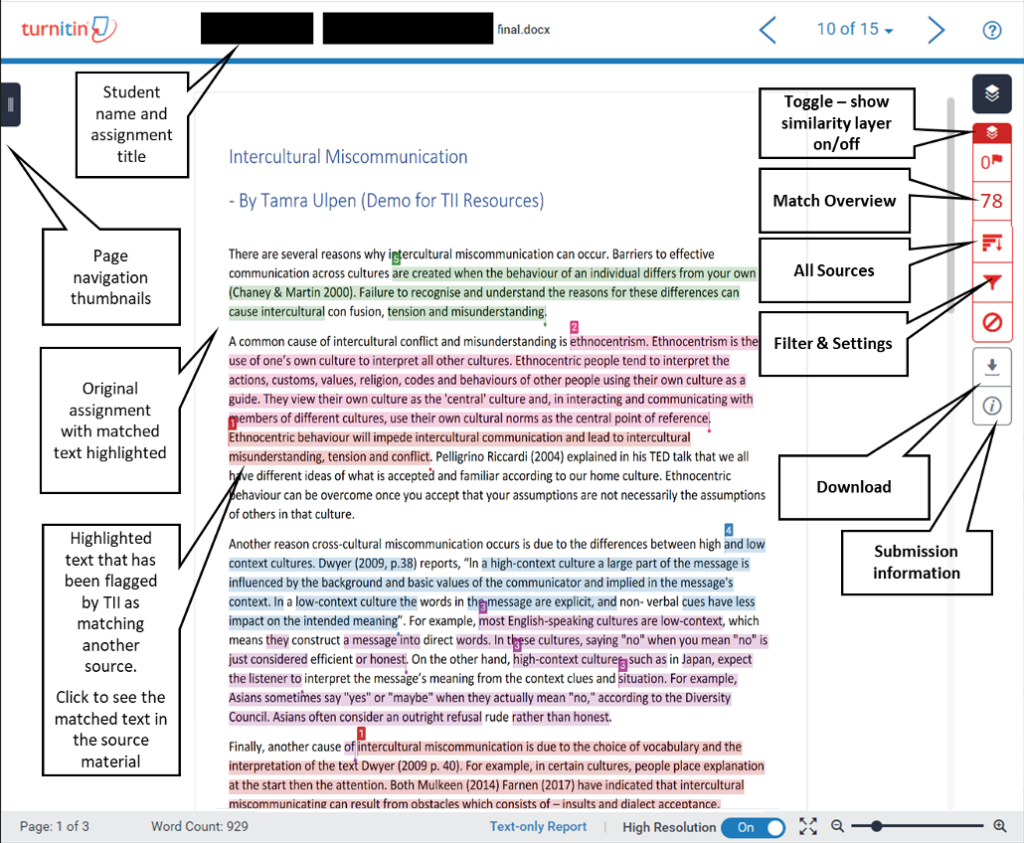
Click the similarity score icon to see highlighted matches and sources. Not every match means plagiarism. Direct quotes with proper citations show up as matches. Reference lists do too. Look for long, unquoted passages that match other sources or missing citations.
Understanding Your Turnitin Score
Context matters more than the percentage itself. A high score with properly cited quotes differs from one caused by uncited copying.
Is 25% on Turnitin Too High?
There is no universal cutoff. Some schools consider under 15% acceptable; others allow up to 30% for research-heavy papers. A 25% score could be fine if it comes from your reference list and quoted material. It is a problem if it stems from copied paragraphs without attribution. Ask your instructor.
Is a 35% Turnitin Score Bad?
A 35% score is on the higher side and worth investigating. If the bulk comes from your bibliography and cited quotes, you may not need many changes. If large chunks of your body paragraphs match other sources, rewrite those sections and add citations. When in doubt, ask your professor.
Turnitin AI Detection
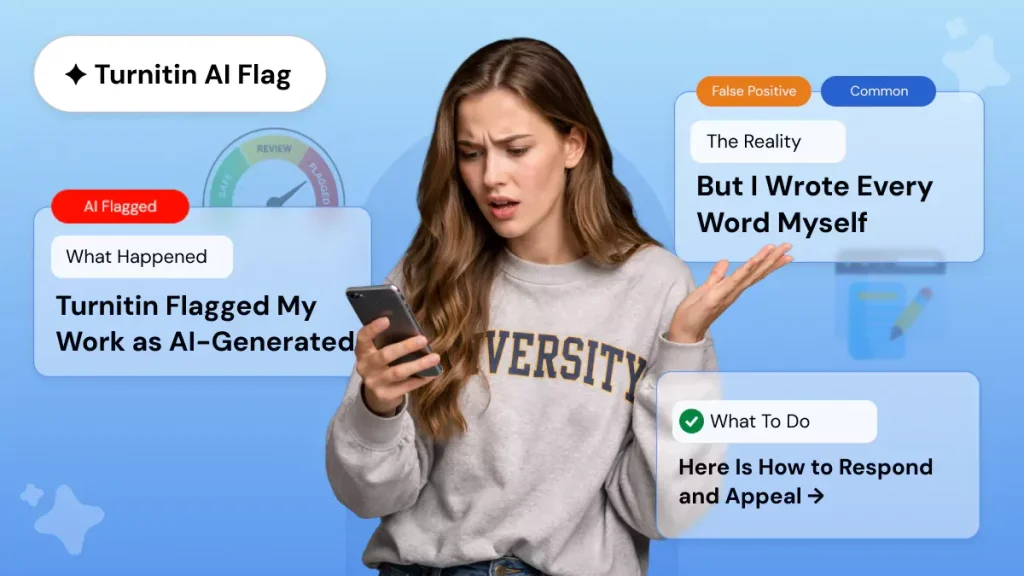
Since 2023, Turnitin includes AI writing detection alongside similarity checking. It flags text from tools like ChatGPT and shows instructors an AI percentage. Students often cannot see this. The system analyzes sentence patterns and predictability to estimate AI-generated content.
Can ChatGPT Be Detected by Turnitin?
Yes. Turnitin detects ChatGPT content, though false positives happen with structured academic writing. If you used AI to brainstorm then rewrote everything in your own words, your risk drops significantly. If you pasted AI text with minimal changes, the detector will flag it. Rewrite in your natural voice, add your own analysis, and vary sentence structure. These steps reduce detection risk and produce stronger writing.
Is Turnitin Free for Students?
No. Turnitin is not free for individuals, and you cannot buy a personal subscription. Schools pay for institutional licenses; students access the tool through class accounts. Websites offering free Turnitin logins are scams. Some third-party checkers offer free scans, but they are not the same as an official Turnitin scan since they use different databases.
How Long Does Turnitin Take?
Most reports arrive within minutes. Expect your first submission to produce a report in roughly 15 to 20 minutes. During busy end-of-semester periods, processing slows. If nothing appears after 24 hours, contact your instructor. If you resubmit multiple times, a 24-hour delay kicks in after three attempts on both Classic and New Standard assignments.
What Should a Student Do Before Uploading to Turnitin?
- Use a supported format like .docx, .pdf, or .txt. Avoid password-protected files or image-only PDFs.
- Verify every quote has quotation marks and a source. Every paraphrase needs a citation.
- Submit at least a day early so you can review your report and revise.
Can You Use Turnitin Without Being a Student or Teacher?
Not through official channels. Turnitin is strictly for educational institutions. Professionals sometimes use iThenticate, made by the same company, but it is expensive. For personal plagiarism checking, consider Grammarly or Scribbr.
Key Takeaways
You cannot log into Turnitin as an individual and run a check on demand. Your access depends on your school and instructor settings. Ask for a draft submission. Submit early. Read your score in context; the percentage alone does not determine acceptability. Remember that Turnitin AI detection is active and visible to your instructor. Write in your own voice, cite properly, and use your school’s tools responsibly.
Official Turnitin Documentation:
For more details on Downloading a Similarity Report as a student, refer to the official Turnitin support guide: Downloading a Similarity Report as a student
Worried about plagiarism scores or AI detection flags? Get the exact same plagiarism & AI report your professor sees in 15-20 minutes. Trusted by thousands of students, researchers, institutions, and agencies.