

How long does Turnitin take to generate a report? Learn why Turnitin reports get queued, pending, delayed, and how to speed up Turnitin checks.
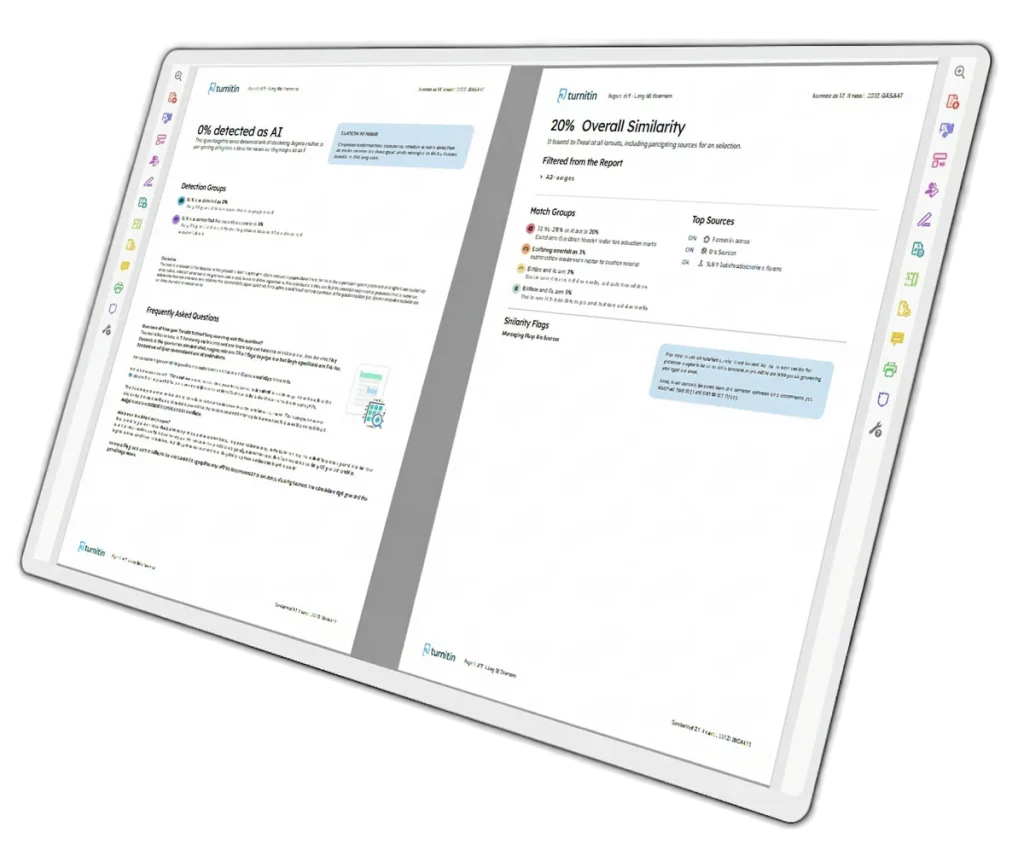
SUMMARY: Turnitin originality reports typically generate within a few minutes for first submissions, though processing times vary based on file size, document type, and platform traffic. Resubmissions can trigger delays of up to 24 hours, and high-volume academic periods such as finals week may slow processing significantly.

Check your essay before you submit. See exactly what your professor sees.
Get the exact same Turnitin report your professor uses. Join 50,000+ students who submitted their essays with confidence this semester.
Several factors influence report generation, including unsupported file formats, large documents, and repeated uploads. Submitting early, using compatible file types like DOCX or PDF, and limiting resubmissions are the most effective ways to reduce delays. A pending or queued status indicates the report is still processing, not that a submission has failed.
How Long Does Turnitin Take to Generate a Report?
If you recently uploaded a paper and your Turnitin check still says “queued” or “pending,” you are probably wondering how long the process takes. In most cases, a Turnitin originality report appears within a few minutes. Sometimes it can take longer, especially during busy submission periods or after resubmissions.
For first submissions, many students receive a Turnitin originality report in under 10 minutes. Some reports appear almost instantly. However, delays are common during peak academic periods when thousands of students submit assignments at the same time.
A delayed Turnitin scan does not always mean something is wrong with your file. The system may simply be processing a large number of uploads.
Typical Turnitin Report Processing Times
Here is a quick breakdown of common Turnitin report timelines.
| Submission Type | Estimated Time |
|---|---|
| First submission | 5 to 15 minutes |
| Small documents | Under 5 minutes |
| Large files with many citations | 15 to 30 minutes |
| Resubmission | Up to 24 hours |
| High traffic periods | Several hours |
| System maintenance periods | Longer delays possible |
The most important thing to understand is this. Turnitin does not always process papers at the same speed. File size, document type, internet traffic, and instructor settings all affect report generation times.
Why Does Turnitin Sometimes Take So Long?
Students often search phrases like “why Turnitin processing so long” or “Turnitin report pending meaning” after uploading an assignment. There are several common reasons.
1. Turnitin Queue Traffic
Turnitin handles millions of submissions from universities worldwide. During finals week or major deadlines, the system becomes overloaded.
This is why you may see messages such as:
- Turnitin in status queued
- Turnitin report pending
- Similarity report generating
- Turnitin status queued how long
If your assignment is queued, the system has received your upload but has not finished processing it yet.
2. Resubmissions Trigger Delays
One of the biggest reasons for delays is resubmitting a paper multiple times.
Turnitin applies a 24 hour delay rule for repeated submissions. This is often called the “Turnitin 24 hour wait.” The policy helps prevent students from repeatedly changing small sections of text to manipulate similarity scores.
For example:
- First upload may process in 5 minutes
- Second upload may take 30 minutes
- Third or later uploads can take up to 24 hours
This catches many students by surprise.
3. Large File Size
A lengthy dissertation or research paper naturally takes longer to scan than a short essay. Documents with many references, tables, images, or footnotes may also slow down the Turnitin scan.
4. Unsupported Formatting
Sometimes formatting issues create delays. Corrupted files or unsupported document types can cause the Turnitin originality check report to remain pending.
Turnitin generally works best with:
- DOC
- DOCX
- TXT
If your upload stalls for hours, try converting the file to DOCX or PDF and upload again if your instructor allows resubmissions.
What Does “Turnitin Report Pending” Mean?
The phrase “Turnitin report pending meaning” is heavily searched because many students panic when they see it.
In simple terms, pending means Turnitin has accepted your paper but has not completed the similarity analysis yet.
Pending does not mean:
- Your file failed
- Your instructor rejected the submission
- You were flagged for plagiarism
- Turnitin detected AI automatically
It simply means the report is still processing.
Does Turnitin Compare Student Submissions?
Yes. One reason Turnitin scans can take time is because the system compares your document against several databases.
A Turnitin originality report checks content against:
- Previously submitted student papers
- Academic journals
- Internet sources
- Publications
- Institutional databases
This is why many students ask, “does Turnitin compare student submissions?” The answer is yes. If your university stores papers in the Turnitin repository, future submissions can match against earlier student work.
How Accurate Is the Turnitin Originality Report?
The Turnitin originality report is generally reliable for finding matching text. However, the similarity score alone does not automatically mean plagiarism.
For example:
- Properly cited quotations can increase similarity percentages
- Bibliographies often create matches
- Common phrases may appear in multiple papers
A 20% similarity score is not automatically bad. A 5% score is not automatically safe either. Instructors usually review the report manually before making conclusions.
How Long Does Turnitin AI Detection Take?
Turnitin AI detection usually appears together with the originality report, although some institutions enable it separately.
In many cases, AI writing detection appears shortly after the similarity report finishes processing. However, universities control these settings individually.
Some instructors only enable:
- Similarity checking
- AI detection
- Both features together
If your school uses Turnitin AI detection, the processing time may increase slightly during heavy traffic periods. \
How to Speed Up a Turnitin Check
You cannot completely control Turnitin processing times, but you can reduce delays.
Upload Early
Avoid submitting minutes before deadlines. Last minute traffic often causes long queues.
Use Supported File Types
DOCX and PDF files usually process faster and more reliably.
Avoid Excessive Resubmissions
Repeated uploads often trigger the Turnitin 24 hour wait period.
Keep File Sizes Reasonable
Compressed images and cleaner formatting can help reduce processing time.
Check Internet Stability
Interrupted uploads sometimes create incomplete submissions.
What If Turnitin Is Stuck in Queued Status?
If your Turnitin originality report stays queued for several hours, try the following:
- Refresh the page
- Confirm the submission receipt exists
- Check your internet connection
- Wait during peak periods
- Contact your instructor if the issue lasts over 24 hours
Sometimes the issue is simply platform congestion.
Can You Check Your Turnitin Score Before Submission?
Many students want to preview their Turnitin similarity score before submitting final assignments to their university portal.
Platforms like humanfyai.com help students review originality and AI writing risks before official submission. This allows you to identify citation issues, duplicated text, and AI-generated sections early instead of waiting for institutional results.
Pre-checking can help reduce:
- High similarity scores
- Citation mistakes
- Accidental duplication
- AI detection concerns
Final Thoughts
So, how long does Turnitin take to generate a report? Most reports appear within minutes, but delays are common during busy periods or after resubmissions. If your Turnitin scan says queued or pending, patience is usually the best approach.
The key is submitting early and avoiding repeated uploads close to deadlines. That gives Turnitin enough time to process your originality report properly before your assignment is due.
Official Turnitin Documentation:
For a comprehensive list of reasons why a report may be delayed, refer to the official support guides:
Downloading and sharing the Similarity Report
Worried about plagiarism scores or AI detection flags? Get the exact same plagiarism & AI report your professor sees in 15-20 minutes. Trusted by thousands of students, researchers, institutions, and agencies.