

Worried about your Turnitin score? Learn if you can check your paper for similarity and AI detection before submitting without saving it to the repository.
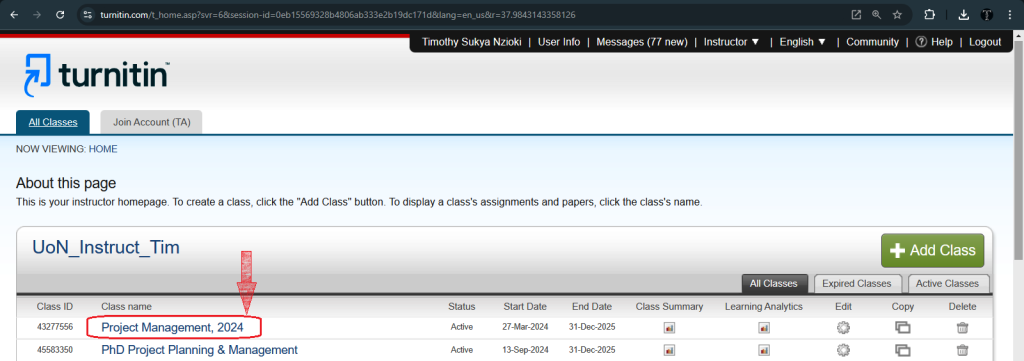
SUMMARY: Students generally cannot run a personal Turnitin scan independently, as the platform is designed for institutional use. Access depends on what a school enables, with Turnitin Draft Coach being one of the few official options allowing pre-submission similarity and AI detection checks.

Check your essay before you submit. See exactly what your professor sees.
Get the exact same Turnitin report your professor uses. Join 50,000+ students who submitted their essays with confidence this semester.
Similarity scores require context to interpret, as percentages alone do not determine plagiarism. Students are advised to cite sources correctly, paraphrase carefully, and use university writing centers, since submitting a paper to an external repository before final submission can cause it to be flagged as plagiarized.
Can you check your Turnitin score online without saving your paper?
This is a question many students ask when they want to verify their work without risking a self-plagiarism flag or an unwanted record in their university repository.
The short answer is that students generally cannot access a personal Turnitin check on their own unless their institution provides access through tools like Draft Coach. Turnitin is designed primarily for institutional use, meaning your access depends entirely on what your school enables.
Understanding Turnitin Access for Students
Most students find themselves in a position where they submit a paper and wait for their instructor to release the results. This lack of visibility creates anxiety. You might worry about your similarity percentage or wonder if your writing style triggered an AI detection flag. If your school has not enabled a pre-submission review feature, you are essentially flying blind.
Can I See My Own Turnitin Score?
You cannot log into a private student account to run a scan. Turnitin does not sell individual licenses to students. If you find websites promising to let you “log in” to your school’s Turnitin account or offering a free tool that connects to their database, be cautious. These services often violate the terms of service of the institutions that own the licenses.
The Role of Draft Coach
Some universities provide a tool called Turnitin Draft Coach. If your school uses this, you can run a Turnitin check within your word processor. This is one of the few official ways to see your similarity report and AI detection indicators before you make your final submission. Check your school’s library or IT portal to see if this is available for your account.
Navigating Similarity Reports
When you do receive a report, the numbers can be confusing. Many students ask if certain percentages are problematic.
- Is 25% on Turnitin too high? Not necessarily. A report highlights every instance of similarity, including common phrases, citations, and your bibliography. If your paper contains heavy research, a high score might simply reflect well-cited sources.
- Is 18% on Turnitin okay? Usually, yes. Most professors look at the content, not just the number. If the matches are all properly cited quotes or standard terminology, your score is likely acceptable.
- Is a 35% Turnitin score bad? It depends on what the system found. If those 35% represent large chunks of text taken from a website without quotes or attribution, that is a concern. If it is just a long bibliography, your instructor will see that clearly.
- Is 100% on Turnitin bad? Yes, this almost always indicates a major issue. It usually means the system found the entire text elsewhere, which often happens if you accidentally submitted the same paper twice or copied a completed assignment.
The Reality of Turnitin AI Detection
Turnitin also provides an AI writing score. This feature scans for patterns in sentence structure and predictability. If you used ChatGPT to generate sections of your work, the system identifies these patterns. Keep in mind that AI detectors are not perfect. They can sometimes flag human writing that is overly structured or dry. However, if you rely heavily on AI, the risk of a flag increases significantly.
Handling Your Paper Without Saving to the Repository
If you manage to get access to a scan through an external professional service or a specialized library partnership, always ask for a non-repository check. If a service saves your paper to a global database, your work will be flagged as 100% plagiarized when you eventually submit the final version to your university.
Official Turnitin Documentation
For a comprehensive list of how to check Turnitin score online without saving to repository, refer to the official support guides:
Can students check a paper in Turnitin for Similarity before submitting it to an assignment?
Practical Steps Before You Submit
Since you often cannot check your own paper directly, follow these steps to manage your academic integrity:
- Format Correctly: Ensure your citations follow the required style guide strictly.
- Paraphrase Carefully: Never copy and paste text. Read your source, close the tab, and write the concept in your own voice.
- Check Your Bibliography: Ensure every citation is complete. A messy reference list creates unnecessary similarity matches.
- Use Institutional Resources: Visit your university writing center. They often have better tools for checking similarity than any third-party “free” service online.
If you are worried about your final result, remember that plagiarism is about intent. If you have done your own research and cited your sources, a high similarity score is often just a matter of technical adjustment. Focus on writing clearly and attributing every idea back to its original source. This is the most effective way to protect your work from being flagged as academic dishonesty.
Worried about plagiarism scores or AI detection flags? Get the exact same plagiarism & AI report your professor sees in 15-20 minutes. Trusted by thousands of students, researchers, institutions, and agencies.