

Decode your Turnitin similarity and AI detection scores with confidence. Learn what the percentages mean, how reports work, and what counts as acceptable.
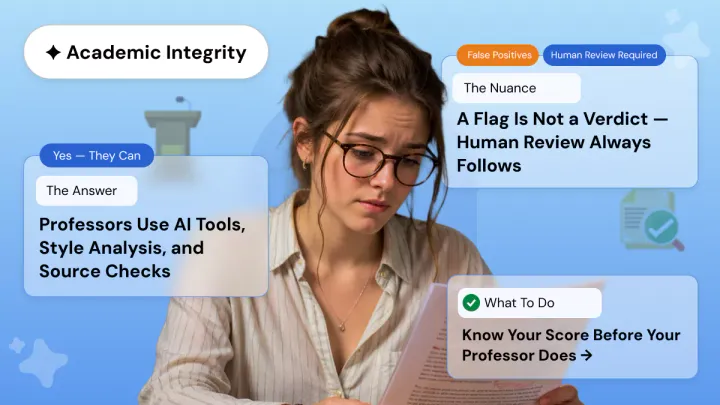
Turnitin generates two separate metrics for submitted documents: a similarity score measuring textual overlap with its database and an AI detection score estimating how much content was likely generated by AI tools. Neither score alone constitutes proof of academic misconduct, and both require contextual interpretation by an instructor.
Similarity scores between 10% and 25% are generally considered acceptable, provided matches stem from cited sources, bibliographies, or common academic phrasing. AI scores below 20% display as an asterisk rather than a specific figure to reduce false positives. Institutional policies on acceptable thresholds vary.
Understanding Your Similarity and AI Scores: A Complete Guide
If you have ever submitted a paper through Turnitin, you have probably stared at that percentage wondering what it actually means. The numbers can feel confusing at first. A Turnitin check gives you two different metrics: a similarity score and an AI detection score. Each tells a different story about your writing, and knowing how to read them can save you from unnecessary stress. This guide breaks down everything you need to know about Turnitin similarity reports, AI detection, and how to make sense of your results before submitting to your academic institution.
What Is a Turnitin Similarity Score?
A Turnitin similarity score represents the percentage of your document that matches text found in Turnitin’s massive database. That database includes published academic papers, websites, books, journals, and previously submitted student work. When you run a Turnitin scan, the software compares your text against all of these sources and highlights any matches it finds.
Here is the part most students miss: the similarity score does NOT measure plagiarism. It only measures textual overlap. If you include a properly cited direct quote, it will show up as a match. Your bibliography will likely match other bibliographies because citation formats follow standard patterns. Even common academic phrases like “the results suggest that” appear in thousands of papers and will trigger a match.
Turnitin uses color coding to help you interpret the score at a glance:
• Blue (0%): No matching text found
• Green (1-24%): Low similarity; typically acceptable
• Yellow (25-49%): Moderate similarity; review recommended
• Orange (50-74%): Significant similarity; likely needs attention
• Red (75-100%): Very high similarity; requires substantial revision
Understanding Turnitin AI Detection
Starting in 2023, Turnitin introduced an official Turnitin AI detector built into its similarity reports. This feature analyzes writing patterns to estimate how much of your text was likely generated by AI tools such as ChatGPT or other large language models. The Turnitin AI detection score is completely separate from your similarity score. You could have a 5% similarity score and a 40% AI score, or vice versa.
The AI indicator shows up as a percentage between 0% and 100%. If your submission contains between 1% and 19% AI-detected text, Turnitin displays an asterisk with a percentage sign (*%). This threshold was introduced in July 2024 to reduce false positives where human-written text gets incorrectly flagged as AI-generated.
Two types of AI flags appear in the report:
• Cyan highlight: Text likely generated directly by an AI writing tool
• Purple highlight: Text likely generated by AI and then modified using an AI paraphrasing tool
A score of 0% means Turnitin found no AI-generated content. Scores above 20% indicate that a meaningful portion of your submission triggers AI-detection patterns. Like similarity scores, the AI score alone does not prove misconduct. It serves as a starting point for human review by your instructor.
How to Read Your Turnitin Similarity Report
When you open your Turnitin originality check report, you will see highlighted passages throughout your document. Each highlighted section links to a source in Turnitin’s database. The key is to examine the breakdown, not just the overall percentage.
Click on the Match Overview to see which sources contributed to your score. A 20% similarity score spread across 15 different sources at 1-2% each looks very different from a 20% score where one uncited source accounts for 18%. The first scenario represents normal academic writing. The second scenario needs immediate attention.
Common reasons for matches that are NOT plagiarism include:
• Properly cited direct quotations that you referenced correctly
• Your reference list or bibliography matching other formatted citations
• Standard methodology descriptions that use fixed disciplinary language
• Previously submitted drafts of your own paper (self-matching)
• Common academic phrases and transitions used across millions of papers
What Is a Good Turnitin Score?
Most universities consider a similarity score between 10% and 25% acceptable for research-based assignments. A score of 20% or 25% is generally fine if the matches come from properly cited sources, common phrases, or your bibliography. Some assignments, like literature reviews or legal analyses that require extensive quoting, may legitimately score higher.
That said, no universal threshold exists. Each institution sets its own policies. Some flag anything above 15% for review. Others allow up to 30% for specific assignment types. Your best move is to check your course syllabus or ask your instructor directly.
One counterintuitive fact: a 0% similarity score can actually raise suspicion. Real academic writing almost always matches something, even if just common phrases or citation formats. A zero might suggest your paper is extremely short, covers an extremely niche topic, or has been artificially processed to avoid any detection.
What Does an Asterisk Mean in Turnitin AI Detection?
If your AI report shows an asterisk followed by a percent sign (*%), this means the detected AI content falls between 1% and 19%. Turnitin introduced this display format to avoid flagging small amounts of AI-like text that could simply be false positives from human writing patterns.
Scores of 0% display as 0%. Scores of 20% or higher display as the actual percentage. The asterisk range exists because research showed higher error rates at low detection percentages. If your report shows *%, your instructor may not raise any concerns unless your institution has a strict zero-tolerance AI policy.
Using humanfyai.com for Your Turnitin Check
Running a Turnitin checker online before your official submission gives you a chance to review and improve your work. With humanfyai.com, you can get an official Turnitin report that shows both your similarity score and your AI detection results. This lets you address any issues proactively instead of finding out after your instructor sees the report.
The process is straightforward. You upload your document, the system runs it through official Turnitin software, and you receive a detailed plagiarism report and AI analysis. You can then review the highlighted matches, revise any problematic sections, and resubmit with confidence.
For a deeper understanding of how Turnitin processes submissions and what factors can affect your report timing, you can refer to the official Turnitin documentation. Their guides cover troubleshooting Similarity Report loading delays and other technical issues that sometimes come up during submission.
Official Turnitin Guide: Understanding the Similarity Score for Students
Frequently Asked Questions
What is humanfyai.com?
humanfyai.com is an online service that lets students and researchers run a plag and AI check on their documents before official submission. It provides access to official similarity reports and AI detection results, helping you identify and fix potential issues in advance.
What is a Similarity Score?
A similarity score is the percentage of your document that matches text in Turnitin’s database of academic papers, websites, journals, and previously submitted student work. It measures textual overlap, not plagiarism. Properly cited quotes and bibliographies contribute to this score.
Is a 20% or 25% Turnitin score okay?
Generally, yes. A Turnitin score of 20% or 25% is typically acceptable if the matches come from properly cited sources, common academic phrases, or your reference list. What matters most is the source breakdown. If no single uncited source dominates the matches, your score likely falls within normal ranges.
What does an asterisk (*) mean in Turnitin AI detection?
The asterisk with a percentage sign (*%) means your AI detection score falls between 1% and 19%. Turnitin uses this display to avoid false positives at low detection levels. No specific percentage gets shown in this range, and no text gets highlighted as AI-generated in your report.
What is an AI content score?
An AI content score is the percentage of your submission that Turnitin’s algorithms identify as likely generated or modified by AI writing tools. It is separate from your similarity score and focuses only on detecting AI writing patterns rather than matching existing sources.
How long does it take to get my results?
Most reports generate within a few minutes. For longer documents or during periods of high server traffic, processing may take up to 15 minutes. Resubmitted papers sometimes face a 24-hour delay before generating a new report.
Will my paper be stored or indexed if I use this service?
No. humanfyai.com does not store or add your paper to any permanent database. Your document gets processed for analysis only and is not indexed in humanfyai’s student paper repository or any institutional database.
How accurate is the plagiarism and AI detection?
humanfyai checks against billions of web pages, academic publications, and student papers, making it one of the most comprehensive plagiarism detection software options available. The official plag & AI checker analyzes linguistic patterns and has been trained on known AI-generated text. No detection tool is 100% perfect, but Turnitin is widely regarded as the standard for academic integrity software.
How does the document checking process work?
You upload your document in a supported format such as .docx or .pdf. The system submits it through humanfyai’s official API, processes the similarity scan and AI analysis, and returns a full report with highlighted matches and detection scores. You can then review the results and make any needed revisions.
How to check Turnitin AI detection for free?
Most universities provide free Turnitin access through their learning management systems. Check if your institution offers student access through platforms like Canvas, Blackboard, or Moodle. Standalone free Turnitin AI checker tools with full report access are generally not available, as Turnitin requires institutional licensing.
Is my identity or document information shared with Turnitin?
No personally identifiable information gets tied to your submission when you use humanfyai.com. Your document is processed anonymously through the system for reporting purposes only.
Are there any requirements for AI content checks?
Your document should contain at least 300 words of prose text, be written in English, and not exceed 15,000 words. Supported file types include .docx, .pdf, .txt, and .rtf. Files larger than 100MB may not process correctly for AI detection.
Can I submit the same document to my academic institution after using humanfyai.com?
Yes. Since humanfyai.com does not index or store your paper in any database, submitting it afterward to your university will not cause a 100% self-match. Your institutional submission will process normally and generate its own independent similarity report.
Worried about plagiarism scores or AI detection flags? Get the exact same plagiarism & AI report your professor sees in 15-20 minutes. Trusted by thousands of students, researchers, institutions, and agencies.