

Run a Turnitin check before submitting your paper. Learn how similarity scores, AI detection, and plagiarism tools work for researchers and students.
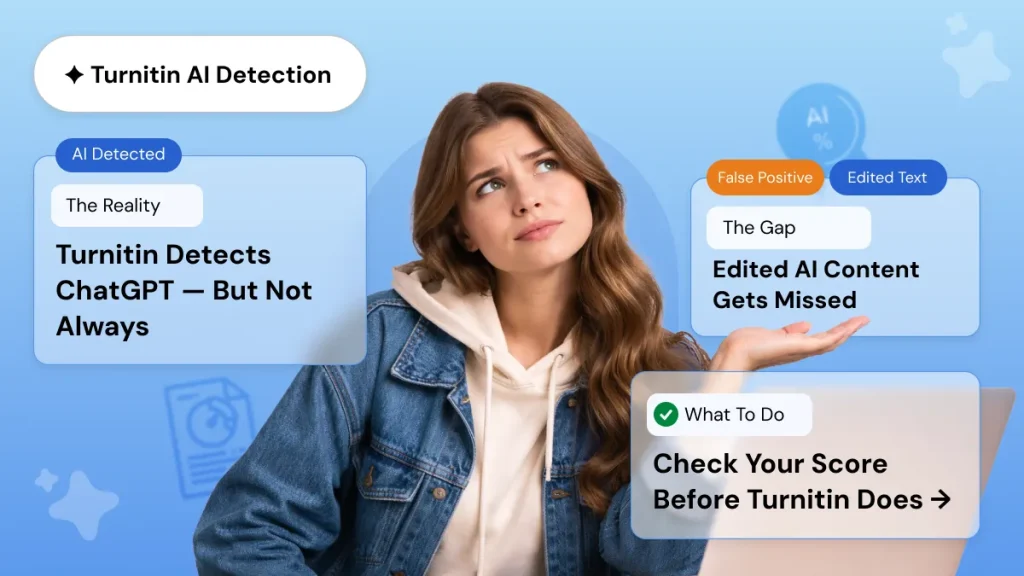
SUMMARY: Turnitin scans submitted documents against billions of web pages, academic publications, and previously submitted student papers, producing a similarity score and, since 2023, a separate AI detection score. A high similarity percentage does not automatically indicate plagiarism, as properly cited quotes and reference lists also register as matches.

Check your essay before you submit. See exactly what your professor sees.
Get the exact same Turnitin report your professor uses. Join 50,000+ students who submitted their essays with confidence this semester.
Researchers preparing journal articles may benefit from iThenticate, which offers broader coverage of subscription-based sources. Running a plagiarism check several days before a deadline allows time to paraphrase flagged content, add missing citations, and resubmit for review.
Why Every Researcher Needs an Academic Plagiarism Check
You have spent months on your research paper. The data is clean, the arguments hold up, and the citations look right. But one issue can still derail everything: unintentional plagiarism. Academic plagiarism check tools catch those problems before a journal editor or supervisor does. Running a Turnitin check before submission gives you the chance to fix issues while you still have time.
Most universities require students and researchers to submit work through Turnitin. The platform scans your document against billions of web pages, academic journals, and previously submitted papers. It generates a similarity report showing exactly where your text matches existing sources. Understanding how that report works can save you from stressful revisions or outright rejection.
How Turnitin Actually Works
Turnitin functions as a text matching engine. When you upload a document, the system breaks your text into segments and compares them against three core databases: internet content, academic publications, and over 1.9 billion student papers previously submitted to Turnitin. When it finds matching sequences, it highlights them and links each match to its source.
The output is a similarity score expressed as a percentage. That number represents how much of your document matches text found elsewhere. A high score does not automatically mean you plagiarized. The context around each match matters more than the headline number. Direct quotes with proper citations still register as matches. Reference lists and bibliographies also inflate your score. A well cited literature review might show 25% similarity and be completely acceptable.
Understanding Your Similarity Score
Most institutions use these thresholds:
- Below 15%: Typically normal for research papers with proper citations
- 15-25%: Worth reviewing. Check if matches come from quotes or overlapping content
- Above 25%: Requires attention. Review individual matches to see if fixes are needed
A paper with 30% similarity across 20 sources is very different from one with 12% similarity coming entirely from a single source. Always examine the detailed breakdown, not only the percentage.
Turnitin AI Detection: What Researchers Need to Know
Since 2023, Turnitin has included AI writing detection alongside its similarity checker. This feature analyzes your text for statistical patterns associated with AI generated content. It produces a separate AI score distinct from your similarity percentage.
Turnitin claims approximately 98% accuracy on fully AI generated text, with false positives below 1%. Actual accuracy is more nuanced. Detection rates drop when AI text has been edited or paraphrased. Non native English speakers sometimes see higher false positive rates.
The AI score appears separately in your originality report. You might see 5% similarity alongside 15% AI detection. Those numbers measure completely different things. A Turnitin scan now gives you two data points to consider before submission.
What the AI Score Symbols Mean
As of mid 2024, Turnitin displays AI proportions between 1% and 19% as an asterisk symbol rather than an exact number. Scores of 0% or 20% and above show the precise percentage. If your institution does not require a strict 0% AI score, an asterisk result is generally acceptable.
Turnitin for Students vs. iThenticate for Researchers
Turnitin offers two main products for academic use.
Turnitin for students is what most universities provide through their learning management systems. It checks assignments and coursework against the full Turnitin database. Students access it through institutional accounts. The Turnitin plagiarism checker online through your university portal generates both similarity and AI reports.
iThenticate plagiarism checker is built for researchers and publishers handling high stakes documents. It compares manuscripts against 244 million subscription content sources and 85,000 scholarly journals. Major publishers use iThenticate to screen submissions before peer review. If you are preparing a journal article or grant proposal, iThenticate offers deeper database coverage.
How to Reduce Your Similarity Score
A high similarity percentage is fixable if you know what to target:
- Paraphrase deeply rather than swapping synonyms. Changing “significant” to “notable” while keeping the same sentence structure rarely fools Turnitin. Rewrite the idea in your own voice.
- Use direct quotes sparingly. Every quoted sentence adds to your match percentage. Reserve quotes for definitions you cannot rephrase.
- Check your reference list settings. Ask if your institution can exclude bibliographies from the similarity calculation. A 25 source reference list can add 5-15% to your score.
- Cite as you write. Retrofitting citations leads to missed attributions. Build your reference list in real time.
- Run a preliminary scan. Services like humanfyai.com let you get a Turnitin plagiarism checker report before official submission.
Common Misconceptions About Plagiarism Checkers
A 0% score is not the goal. Academic writing requires engagement with existing research. Proper citations and reference lists all create matches. A paper scoring 0% either ignored prior scholarship or was deliberately altered to avoid detection. Both are red flags.
Turnitin does not determine plagiarism. It flags text similarity. Human reviewers evaluate if those matches represent proper attribution or misconduct. Turnitin calls its output a similarity report, not a plagiarism report, for this reason.
Free plagiarism checker for students tools can help with preliminary screening, but their databases are smaller than Turnitin. For high stakes submissions, use the same plagiarism percentage checker your institution uses.
Reading Your Turnitin Report Effectively
When you open your report, focus on these elements:
- Match groups: Turnitin categorizes matches as “not cited or quoted,” “missing quotation,” “missing citation,” or “cited and quoted.” The first category demands immediate attention.
- Flags panel: This highlights hidden text or replaced characters. Clean papers should show no flags.
- Source breakdown: Check where matches originate. Internet sources, student papers, and academic publications carry different implications.
Official Turnitin Documentation provides detailed guidance on interpreting these report elements and troubleshooting any delays in report generation.
Choosing the Right Plagiarism Check for Your Research
For coursework, a Turnitin check through your institutional account is usually sufficient. A Turnitin checker for students is often available through university portals at no extra cost. For journal submissions and grant applications, consider running an iThenticate scan given its broader coverage of subscription journals.
Waiting until the day before your deadline leaves no room for revision. Running a Turnitin plagiarism checker scan a week before submission gives you time to paraphrase flagged passages, add missing citations, and verify that your scores fall within acceptable ranges.
Quick Comparison: Turnitin vs. iThenticate
| Feature | Turnitin for Students | iThenticate |
| Primary users | Students, instructors | Researchers, publishers |
| Database coverage | Web, student papers, journals | 244M subscription sources, 85,000 journals |
| AI detection | Available as add on | Available as add on |
| Best for | Assignments, theses | Journal articles, grants |
| Access | Institutional accounts | Institutional or individual credits |
When to Run Your Check
Run your plagiarism check at least five to seven days before your deadline. This buffer gives you time to interpret the report, rewrite flagged sections, and recheck your revised document. Early checks are the single most effective way to reduce submission stress.
Final Thoughts
Academic plagiarism check tools protect the work you have already invested enormous effort into. Unintentional matches happen to every researcher. The difference lies in finding them first, before your reviewer does.
Run your Turnitin scan early. Read the full report, not only the percentage. Fix citation gaps and paraphrase overlapping text before submission. If you use Turnitin for students, the iThenticate plagiarism checker, or a trusted third party service, the principle stays the same: verify your originality, understand your scores, and submit with confidence.
Worried about plagiarism scores or AI detection flags? Get the exact same plagiarism & AI report your professor sees in 15-20 minutes. Trusted by thousands of students, researchers, institutions, and agencies.