

Learn how Turnitin AI detection works, what its reports actually measure, and how students and educators can use the tool securely and responsibly.
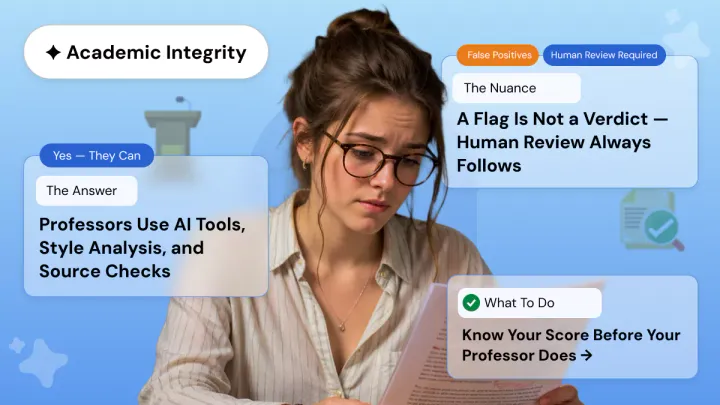
Turnitin’s AI detection feature, active since 2023, runs alongside its similarity checker to flag content likely generated by large language models. The tool analyzes sentence patterns and vocabulary predictability, requiring at least 300 words to produce a reliable score, and displays separate percentages for matched text and AI-generated content.

Check your essay before you submit. See exactly what your professor sees.
Get the exact same Turnitin report your professor uses. Join 50,000+ students who submitted their essays with confidence this semester.
Effective use of the tool depends on understanding its limitations, including false positive rates between 2% and 5% and higher misclassification rates for non-native English speakers. Students are advised to write authentically and maintain drafts as evidence, while educators are encouraged to treat detection scores as one input among several rather than sole grounds for disciplinary action.
How to Use Turnitin AI Detection Securely
A Turnitin check is standard at most universities today, and the addition of AI detection has changed how students and instructors approach academic writing. Since 2023, Turnitin for students has included AI scanning capabilities that flag content possibly generated by ChatGPT, Claude, or similar tools. Using this feature effectively takes more than clicking submit. This guide breaks down how to use Turnitin AI detection securely, what reports actually tell you, and how to prepare work with confidence.
What Is the Official Turnitin AI Detector
The official turnitin ai detector is built into the turnitin plagiarism checker and analyzes writing patterns to identify text likely produced by large language models. It runs alongside the turnitin similarity report, giving instructors two scores: one for text matching against existing sources, and another for AI-generated content.
The system examines sentence patterns, vocabulary predictability, and structural consistency. It needs at least 300 words of prose to generate a reliable score and works best on long-form writing like essays and research papers. The turnitin originality check component flags matching text, while the AI detector focuses on probabilistic writing patterns. These are separate processes with independent outputs.
Turnitin states that AI detection results should not be the sole basis for disciplinary action. The company displays an asterisk instead of a percentage when AI writing falls below 20%, signaling lower confidence. Independent tests place false positive rates between 2% and 5%, with non-native English speakers flagged at higher rates.
How Students Access Turnitin
Most students cannot buy turnitin access directly. Institutions provide it through Learning Management Systems like Canvas, Blackboard, or Moodle. Your instructor creates the assignment, enables turnitin submission checker settings, and you upload through that portal.
The typical flow works like this:
- Log into your LMS and find the assignment link.
- Upload your document in .docx, .pdf, .txt, or .rtf format.
- Submit and wait for the Turnitin scan to process.
- If resubmissions are enabled, upload revised versions before the deadline.
First submissions and the first three resubmissions generate a turnitin similarity score within 30 to 60 minutes. After that, reports may take 24 hours. Not all instructors allow resubmissions, so check your course policy first.
Reading the AI Writing Report
Instructors must enable Turnitin when creating the assignment. If skipped, ai writing detection will not activate later. Once submissions arrive, instructors open reports through Turnitin Feedback Studio.
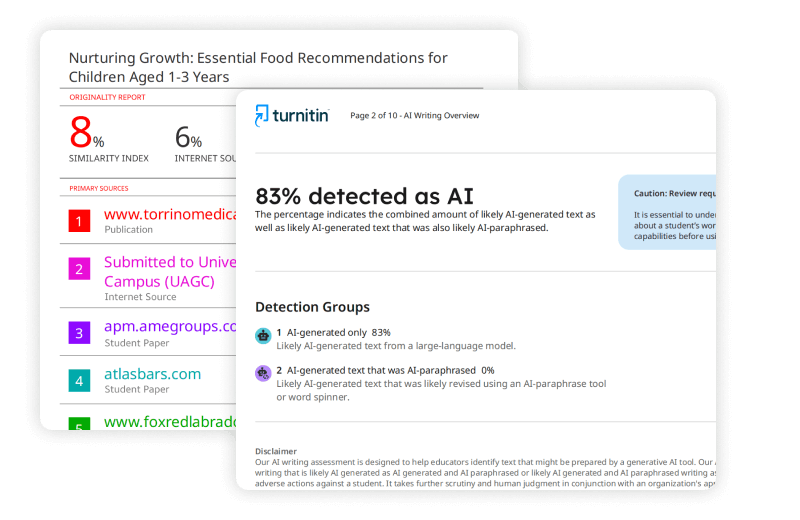
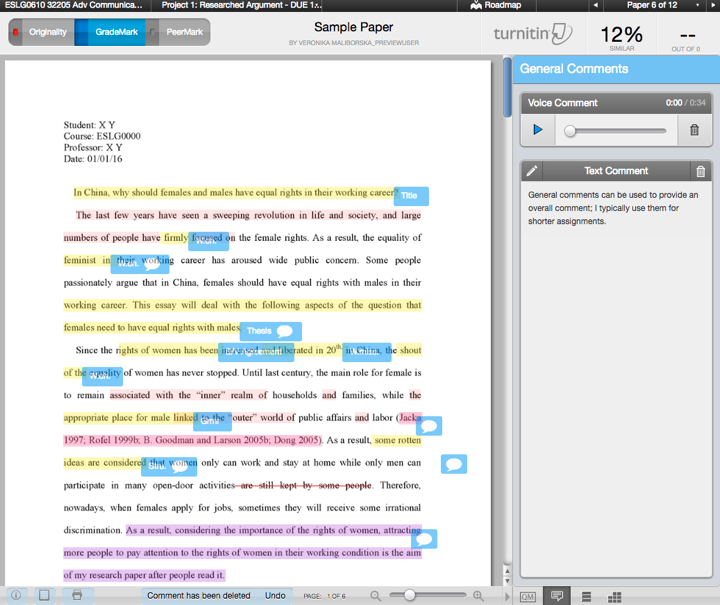
The official turnitin report has two panels. The Similarity Report shows matched text against billions of sources. The AI Writing Report shows a percentage and highlights sentences flagged as likely AI-generated. Instructors can click highlights to see exactly which passages triggered the turnitin ai checker.
Good educators use this data to start conversations, not deliver verdicts. Many require drafts, outlines, or reflective memos alongside submissions. This produces a more complete plagiarism report context and reduces both misconduct accusations and false positives.
Similarity Score vs. AI Score
These numbers measure different things. Your turnitin similarity report compares your text against existing sources. A high score could mean heavy quoting or poor paraphrasing. Your AI score estimates how much of your text shows patterns consistent with machine writing.
A paper can score low on similarity and high on AI detection, or the reverse. A well-cited original essay might show 5% similarity and 0% AI. An AI-generated piece with fabricated citations might show 2% similarity and 85% AI. Instructors review both metrics together when grading.
Preparing Work That Passes Both Checks
If you want clean results from any academic plagiarism checker, focus on authentic writing rather than trying to outsmart the detector. The most effective approach is also the simplest: do your own thinking first, then use AI tools ethically if your instructor permits them.
Practical habits that produce solid reports:
- Write your core arguments and conclusions in your own words before any AI touches the page.
- Add specific examples from your coursework or personal experience only you could provide.
- Vary your sentence length. Mix short statements with longer, complex ones.
- Reference lectures, course readings, and field-specific frameworks by name.
- Save drafts and outlines to show your writing process if asked.
Students who rely heavily on grammar-checking tools should know that polished, highly structured prose can trigger false positives. The detector reads consistent formal tone as potentially machine-like, even when you wrote every word yourself.
Handling False Positives on Original Work
False positives happen. Stanford research found some ai content detector tools misclassified over 61% of essays by non-native English speakers as AI-generated. Technical writers and anyone using structured academic prose can also see inflated scores.
If your authentic work gets flagged, gather evidence. Compile drafts, research notes, and timestamped files showing your process. Talk to your instructor in person. Most educators know that plagiarism detection software is imperfect and will review your case fairly.
You can reduce false positive risk before submission. Break up uniform paragraphs, add personal observations, and vary your transitions. These changes make your writing more naturally human in the statistical patterns that student plagiarism checker systems measure.
Data Privacy When Submitting
When you submit, your file enters the Turnitin database and gets compared against future submissions. This storage is permanent unless your instructor requests deletion through your administrator. For students working on unpublished research, this matters.
Never upload papers to random websites offering a turnitin checker online experience. Many harvest your work or sell it to databases you cannot control. For a legitimate pre-check option, ask your instructor to set up a practice assignment or use a plagiarism scanner your library endorses.
Turnitin does not use student submissions to train its models. Still, institutional policies on storage vary, so understand your school’s specific terms. The official turnitin software processes data under standard educational privacy frameworks.
Tips for Educators
If you use academic integrity software, transparency produces better outcomes than surveillance. Explain at the start of term what tools you use and how you interpret results. Share your rubric and follow-up process.
Never make decisions based on one metric alone. An AI percentage does not prove misconduct. Collect process evidence by design: require proposals before drafts or in-class writing samples. Design assignments asking for local context or original analysis tied to course materials. These are harder to generate with AI and easier to verify through conversation.
Account for equity in your review. Non-native speakers produce higher false positive rates. Build in supportive measures and avoid punitive interpretation without real evidence. A proper originality report review should always include human judgment alongside automated scores.
Complementary Tools
While Turnitin dominates the market, alternatives exist. iThenticate serves publishers with a larger scholarly journal database. Some schools layer additional ai plagiarism checker tools alongside Turnitin for extra screening.
Students seeking to verify work independently should check with their writing center or library. Many institutions provide access to approved essay plagiarism checker tools or research paper plagiarism check services. Always use school-endorsed tools rather than trusting random sites with your intellectual property. Be cautious of services advertising instant turnitin report generation; legitimate reports require processing through official channels.
Bottom Line
Using Turnitin AI detection securely means understanding what the tool measures, what it misses, and how to read its results responsibly. For students, the priority is authentic writing backed by a clear paper trail. For educators, the priority is fair evaluation that uses detection data as one input among many.
The technology keeps changing. Turnitin updates its model regularly, expanding language support and refining accuracy. What does not change is the core principle: your work should represent your own thinking. Get that right, and the detector becomes a formality rather than a problem.
Official Turnitin Documentation: For detailed guidance on reading AI Writing Reports and understanding detection capabilities, refer to the official guide to using the AI Writing Report.
Worried about plagiarism scores or AI detection flags? Get the exact same plagiarism & AI report your professor sees in 15-20 minutes. Trusted by thousands of students, researchers, institutions, and agencies.